Tuesday, August 25, 2015

Who modified my tables: tracking SQL Server table changes

What is the easiest way of capturing changes on tables? I was asked this question and what immediately came to my mind was DDL Triggers. Though this is not a new feature of SQL Server, it is still unknown to many and various ways are implemented for capturing changes.

DDL Trigger can be implemented for capturing almost all DDL changes. Here is the code for capturing changes made to tables;

USE AdventureWorks2014;
GO

-- Creating a table for holding changes
CREATE TABLE TableChanges 
(
 ChangedDate datetime,
 EventType nvarchar(100), 
 TableName nvarchar(100), 
 LoginName nvarchar(100), 
 SQLCommand nvarchar(2000));
GO

-- Creating the DDL trigger for tables
CREATE TRIGGER CaptureTableChanges 
ON DATABASE 
WITH EXECUTE AS 'dbo'
FOR ALTER_TABLE, DROP_TABLE 
AS

 DECLARE @data XML

 SET @data = EVENTDATA();

 INSERT TableChanges 
  (ChangedDate, EventType, TableName, LoginName, SQLCommand) 
   VALUES 
  (getdate(), 
  @data.value('(/EVENT_INSTANCE/EventType)[1]', 'nvarchar(100)'), 
  @data.value('(/EVENT_INSTANCE/ObjectName)[1]', 'varchar(100)'),
  @data.value('(/EVENT_INSTANCE/LoginName)[1]', 'varchar(100)'),
  @data.value('(/EVENT_INSTANCE/TSQLCommand)[1]', 'nvarchar(2000)')
  ) ;
GO

-- Creating a login and user for testing
CREATE LOGIN Jack WITH PASSWORD = 'Pa$$w0rd', CHECK_EXPIRATION = OFF, CHECK_POLICY=OFF;
GO
CREATE USER Jack FOR LOGIN Jack;
GO
ALTER ROLE db_ddladmin ADD MEMBER Jack;


-- Use a different window for this
-- Connect using Jacks credentials and execute
ALTER TABLE Production.Product
 ALTER COLUMN Color nvarchar(20);
GO

-- Check captured changes
SELECT * FROM TableChanges ;
GO

Sunday, August 23, 2015

SQL Server Brain Basher of the Week #026 - Variable types

Similar to other programming languages, SQL also offers a facility to create variables for holding values temporarily. Variables are created in the memory and can be accessed only within the batch in which they have been declared. Here is a simple question on variables;

What are the three types of variables can be created with SQL Server?
  1. Local variable
  2. Global variable
  3. Temporary variable
  4. Cursor variable
  5. Table variable
Local variables are known to everyone and it is the type used widely. By default, NULL is assigned to all local variables if no default value is assigned. Values for local variables can be set at the time of declaration, using a SELECT statement or using the SET statement.

DECLARE @i int;

-- this returns NULL
SELECT @i;

DECLARE @x int = 100;

DECLARE @y int, @z int;

SET @y = 300;
SELECT @z = 400;

SELECT @X, @y, @z;


Cursor variables are still given with SQL Server mainly for backward compatibility. Since we can just name to cursor and do all our operations with its name, there is no necessity on declaring a cursor with a variable. Anyway here is an example;

DECLARE @cur CURSOR;
DECLARE @i int;

SET @cur = CURSOR FOR
 SELECT ProductID FROM Production.Product
 WHERE Color = 'Black';

OPEN @cur;
FETCH NEXT FROM @cur INTO @i
WHILE (@@FETCH_STATUS = 0)
BEGIN

 SELECT @i;
 FETCH NEXT FROM @cur INTO @i
END

CLOSE @cur;
DEALLOCATE @cur;


Table variables are useful when we need to maintain a small dataset for temporary operations. It works just like local variables and it holds data in the form of a table. Here is an example of it.

DECLARE @Product TABLE
(
 Id int PRIMARY KEY
 , Name varchar(100) NOT NULL
 , Color varchar(100) INDEX ix_Product NONCLUSTERED
);

INSERT INTO @Product
SELECT ProductID, Name, Color FROM Production.Product
WHERE Color IS NOT NULL OR Color != '';

SELECT * FROM @Product;


As you see, three types of variables that can be declared with SQL Server are Local variables, Cursor variables, and Table variables. There are no types called Global and Temporary variables.

Friday, August 21, 2015

Deleting records based on another table: Should I use standard delete or non-standard delete statement?

When you have to delete records from a table based on a filter set with another table, what type of statement generally you use? DELETE based on a join or DELETE based on a sub query?

The standard way of deleting records for this requirement is using DELETE based on a sub query. However if you prefer or more familiar with JOINs, it can be used without any issue though it is considered as the non-standard way. SQL Server executes both types of queries in same way, hence we cannot expect any performance difference between these two.

Here is an example. Following code deletes records from SalesOrderDetails table based on Color attribute of Product table. As you see, cost is same and plan is same too.

USE AdventureWorks2014;
GO

-- non-standard way
DELETE FROM d
FROM Sales.SalesOrderDetail d
 JOIN Production.Product p
  ON d.ProductID = p.ProductID
WHERE p.Color IS NULL;

-- standard way
DELETE FROM Sales.SalesOrderDetail
WHERE EXISTS (SELECT *
   FROM Production.Product p
   WHERE Sales.SalesOrderDetail.ProductID = p.ProductID
    AND p.Color IS NULL);


Thursday, August 20, 2015

Stored procedure parameters: Setting default values with functions

Stored procedures are common objects in SQL Server databases as it gives many benefits for us. One important thing with Stored Procedure is, allowing us to pass parameters for executing the procedure as we want. Parameters can be set as either input or output parameters and input parameters can be set with default values allowing users to execute the procedure either with value they need or without passing a value, letting procedure to use the default value. However, can we set up a function for the default value? That is the question I was asked.

SQL Server allows us to pass 2,100 parameters per Stored Procedure. Parameters can be set only with constant expressions, hence functions CANNOT be used when setting default values to parameters. But we can workaround it, though it is not the exact solution;

USE AdventureWorks2014;
GO

IF OBJECT_ID('dbo.GetOrders', 'P') IS NOT NULL
 DROP PROCEDURE dbo.GetOrders;
GO

-- creating the procedure
-- note that default value is null
-- and set the default value if no value found
CREATE PROCEDURE dbo.GetOrders @Year int = NULL
AS
BEGIN

 SET @Year = ISNULL(@Year, YEAR(getdate()));

 print @Year
 SELECT * FROM Sales.SalesOrderHeader
 WHERE YEAR(OrderDate) = @Year;
END
GO

-- EXEC dbo.GetOrders

Wednesday, August 19, 2015

Encrypting backups and restoring encrypted backups

Your applications cannot be survived without database backups!

Database backup is a fundamental requirement and it is the key task among maintenance tasks. It protects both application and data against almost all failures and it is our duty to protect it. Not only that, it should be well secured because it holds all information related to your organization, hence you should take all possible actions for protecting it from unauthorized access. One method we use for protecting our backups is using an off-site storage, making sure that we have them at then event of a disaster. In addition to that, it can be more secured applying encryption. This post speaks about encrypting SQL Server database backups and restoring them.

SQ:L Server backup encryption uses algorithms such as AES 128, AES 192, AES 256, and Triple DES. And when encrypting, it needs either a certificate or asymmetric key for encrypting data. Here are the steps for preparing the instance and taking a backup.

  1. Create the database master key in the master database if it is not created before. This key is a symmetric key and it will be used for protecting all other keys and certificates.

    -- creating the master key if not exist
    USE master;
    GO
    CREATE MASTER KEY ENCRYPTION BY PASSWORD = 'Pa$$w0rd';
    GO
    
  2. Backup the master key created and keep it in a secure location. This is required if the database going to be restored to a different instance.

    -- Back up the database master key
    OPEN MASTER KEY DECRYPTION BY PASSWORD = 'Pa$$w0rd';
    BACKUP MASTER KEY TO FILE = 'D:\SecuredLocation\master.key'
     ENCRYPTION BY PASSWORD = 'Ma$terPa$$w0rd';
    GO
    
  3. Create a certificate or asymmetric key for encrypting backups.

    -- Create a certificate
    CREATE CERTIFICATE AdventureWorksBackupCertificate
     WITH SUBJECT = 'Backup Encryption Certificate';
    GO
    
  4. Backup the certificate or asymmetric key and keep it in a secure location. This is required if the database going to be restored to a different instance.

    BACKUP CERTIFICATE AdventureWorksBackupCertificate 
    TO FILE = 'D:\SecuredLocation\AdventureWorksBackupCertificate.cer'
    WITH PRIVATE KEY ( FILE = 'D:\SecuredLocation\AdventureWorksBackupCertificate.key' ,
         ENCRYPTION BY PASSWORD = 'CertificatePa$$w0rd');
    GO
    
  5. Perform the back up operation using the certificate or asymmetric key created, mentioning the algorithm for encryption.

    -- Take the initial backup
    BACKUP DATABASE AdventureWorks2014
     TO DISK = 'D:\BackupLocation\AdventureWorks2014.bak'
    WITH INIT, ENCRYPTION( ALGORITHM = AES_128,
      SERVER CERTIFICATE = AdventureWorksBackupCertificate)
    ;
    GO
    

Here are the steps for restoring the backup to the same instance.

  1. Restore the backup just like restoring non-encrypted backup. No special steps need to perform as long as master database key and certificate are exist.

    -- Same Server - restore as a normal backup
    RESTORE DATABASE AdventureWorks2014
     FROM DISK = 'D:\BackupLocation\AdventureWorks2014.bak'
    WITH REPLACE, NORECOVERY;
    GO
    

Here are the steps for restoring the backup to a different instance.
  1. Create a master key if it is not exist. This does not need to be the same. You can use the backup of the master key taken if it is a recovery from a complete failure.

    -- create the master key if not exist
    USE master;
    GO
    
    CREATE MASTER KEY ENCRYPTION BY PASSWORD = 'Pa$$w0rd';
    
  2. Create the certificate or asymmetric key from the backup taken from original instance. Name should be same.

    -- create the certificate in the new instance
    -- from backup files
    CREATE CERTIFICATE AdventureWorksBackupCertificate
    FROM FILE = 'D:\NewServerSecuredLocation\AdventureWorksBackupCertificate.cer'
    WITH PRIVATE KEY (
    DECRYPTION BY PASSWORD = 'CertificatePa$$w0rd',
    FILE = 'D:\NewServerSecuredLocation\AdventureWorksBackupCertificate.key');
    GO
    
  3. Perform the restoration as a normal restoration.

    RESTORE DATABASE AdventureWorks2014
     FROM DISK = 'D:\NewServerBackupLocation\AdventureWorks2014.bak';
    GO


Monday, August 17, 2015

SQL Server Brain Basher of the Week #025 - DMVs and DMFs

The best and easiest way of getting real-time state information and recent historical information related to SQL Server is using Dynamic Management Views and Dynamic Management Functions. This week question is based on them, here is the question;

If I want to see DMVs and DMFs using Object Explorer, where should I look for?
  • Master database
  • Resource database
  • Any user-defined database
  • MSDB database
Generally all DMVs and DMFs are defined in the resource database and then mapped to other databases. If you want to see DMVs using Object Explorer, they can be seen in System View node of any database.


If you want to see DMFs using Object Explorer, they can be seen only in Table Valued Function node of master database.


Sunday, August 16, 2015

Differences between BCP and BULK INSERT

It is not uncommon to see importing data from other sources and exporting data into other sources as not all data can be entered row-by-row. Generally, either import or export, it can be considered as an ETL operation and some involve with transformation (T) and some do not. If the requirement is just loading a bulk data into SQL Server without transformation, easiest and fastest way of loading data is either using bcp or BULK INSERT. What is the best? Here is a comparison.

Operation bcp BULK INSERT
Type of utility Command line utility  T-SQL utility
Usage for both import and export  Import only
Required TSQL knowledge No, unless queryout is used for writing a query without mentioning the table name. Required. 
Constraint enforcement Does not check CHECK and FOREIGN KEY constraints unless CHECK_CONSTRAINTS is used with -h hint. UNIQUE, PRIMARY KEY, and NOT NULL constraints are always enforced. Does not check CHECK and FOREIGN KEY constraints unless CHECK_CONSTRAINTS is used. UNIQUE, PRIMARY KEY constraints are always enforced. Inserts blank to NOT NULL character type columns if no value is passed to the column.
Explicit transaction Not possible Possible
Format file Can generate and use Cannot generate but can be used.
Source location Can be referred a location in client ENV Can be refereed only a location within the server.
Performance Fast Fastest
Protocol TCP/IP
Shared Memory
Named Pipes
In memory


Saturday, August 15, 2015

Finding user tasks that are waiting longer than expected time

Performance tuning is one of the common operations in database world and is always done for optimizing queries. When performing Performance Tuning first thing we generally do is, checking tasks that are waiting for a long time period. A question was asked on it, and as usual thought to make a post on it, how can I see whose tasks are waiting longer than expected time?

There are couple ways of seeing it. Activity monitor can be easily used for this but if it needs to be done using TSQL, using Dynamic Management Views and Dynamic Management Functions are the best. Here is a simple script for finding tasks that are waiting........

/*
Execute this in a new window
Note that it updates a record
within an explicit transaction
*/
USE AdventureWorks2014;
GO

BEGIN TRAN

UPDATE Production.Product
 SET Color = 'Black'
WHERE ProductID = 1;

-- ROLLBACK TRAN

/*
Execute this in a new window
This tries to retrieve the same
*/
USE AdventureWorks2014;
GO

SELECT * FROM Production.Product
WHERE ProductID = 1;

/*
Execute this in a new window
This looks for queries waiting 
longer than 20 seconds
*/
SELECT 
 s.original_login_name
 , t.wait_type
 , t.wait_duration_ms,
 q.text
FROM sys.dm_os_waiting_tasks AS t
 INNER JOIN sys.dm_exec_sessions AS s
  ON t.session_id = s.session_id
 INNER JOIN sys.dm_exec_requests r
  ON s.session_id = r.session_id
 CROSS APPLY sys.dm_exec_sql_text(r.sql_handle) q
WHERE s.is_user_process = 1
AND t.wait_duration_ms > 20000; -- waiting more than 20 seconds


Friday, August 14, 2015

Can I disable all constraints when loading data?

Generally, when loading a large data set, we disable constraints and drop indexes for speeding up the loading process. Constraints help us to enforce integrity rules making sure that no inconsistent data is exist though it slows down update operations on the table. There are different types of constraints for addressing different types of integrity such as;
  • Entity integrity - referring row level integrity
  • Domain integrity - referring column level integrity
  • Referential integrity - referring integrity with relationships
In addition to that, constraints can be used for addressing user-defined integrity too.

SQL Server supports following constraints types;
  • PRIMARY KEY constraint
  • UNIQUE KEY constraint
  • FOREIGN KEY constraint
  • CHECK constraint
  • NOT NULL constraint
  • DEFAULT constraint
However, note that we cannot disable all constraints. Only CHECK and FOREIGN KEY constraints can be disabled. For disabling other constraints, either constraints have to be modified or dropped. For example, if you need to disable either PRIMARY KEY or UNIQUE KEY constraint, index attached for them should be dropped.

Here is the code for disabling CHECK constraint.

-- Create a table with a check constraint
USE tempdb;
GO

CREATE TABLE dbo.Customer
(
 CustomerId int not null
 , CustomerName varchar(10) not null
 , CreditAmount decimal(18,2) not null
 , CONSTRAINT Customer_SalaryCheck CHECK (CreditAmount < 100000)
);
GO

-- Inserting valid data
INSERT INTO dbo.Customer
 VALUES (1, 'Joe Brown', 65000);
INSERT INTO dbo.Customer
 VALUES (2, 'Mary Smith', 75000);


-- Inserting invalid data
-- This will not be possible as it violates the constraint
INSERT INTO dbo.Customer
 VALUES (3, 'Joe Brown', 110000);

-- Disabling the constraint and inserting the same again
-- Now it allows to insert a row with an invalid value
ALTER TABLE dbo.Customer NOCHECK CONSTRAINT Customer_SalaryCheck;
GO

INSERT INTO dbo.Customer
 VALUES (3, 'Joe Brown', 110000);
GO

-- Enabling the constraint.
-- Note that updated records are not validated
ALTER TABLE dbo.Customer CHECK CONSTRAINT Customer_SalaryCheck;
GO
-- Now table contains invalid data.

Note that it does not validate records inserted when enabling it again. If you want to check all records for integrity when enabling, use following code.

-- If you want to make sure no invalid data exist
-- and validate all records agains the constraint
-- disable it again and enable it with CHECK option
ALTER TABLE dbo.Customer NOCHECK CONSTRAINT Customer_SalaryCheck;
GO

ALTER TABLE dbo.Customer WITH CHECK CHECK CONSTRAINT Customer_SalaryCheck;
GO
-- This will throw and error because current rowset has an invalid value.
-- This can be corrected by either updating it or deleting it.
DELETE FROM dbo.Customer WHERE CustomerId = 3;

-- Now constraint can be enabled with CHECK option
ALTER TABLE dbo.Customer WITH CHECK CHECK CONSTRAINT Customer_SalaryCheck;
GO
-- And if you run sys.check_constraint again, you will see 0 for is_not_trusted column.

DROP TABLE dbo.Customer;

Thursday, August 13, 2015

Ways of seeing Query Execution Plans

When it comes to troubleshooting, most of the time, first thing we do is, checking the query execution plan related to the query for understanding what has happened with the query, whether added indexes have been used, JOINs used as we expected, any differences between estimated rows and actual number of rows accessed and, much more. Since Query Execution Plan explains many things, it is always better to understand what it is, how it can be seen and how the guidelines given with it have to be used for troubleshooting. First of all we need to know all possible ways of seeing it, hence this posts speaks about it.

SQL Server allows us to see the plan mainly in three different ways;
  • Graphical execution plan
  • Text execution plan
  • XML execution plan
Most of us are familiar with Graphical Execution Plan as that is what we generally use. However there are some more ways of seeing two types of execution plans;
  • Estimated plan - Complied plan for the given request. Result of the request of it is a SELECT or modification related to the request if it is an action query such as INSERT, UPDATE, DELETE, will not be produced or done.
  • Actual plan - Complied plan along with runtime statistics. This can be seen with the execution of the request and shown with the result.
Here are the ways of seeing these plans;
  • Estimated plan (compile)
    • SET SHOWNPLAN_TEXT (deprecated) 
    • SET SHOWPLAN_ALL (deprecated) 
    • SET SHOWPLAN_XML
    • Graphical showplan (SSMS)
    • sys.dm_exec_query_plan, sys.dm_exec_text_query_plan
  • Actual plan (runtime)
    • SET STATISTICS PROFILE (deprecated) 
    • SET STATISTICS XML
    • Graphical showplan (SSMS)
Let's see each an every way for seeing the execution plan.

SET SHOWPLAN_TEXT
This helps us to see how engine will execute the given query without executing it. The output of this show a hierarchical tree that explains steps taken and actions performed for executing the query. This is not much usable when compared to other ways but good for getting an understanding on each steps and their execution. However, since this has been marked as deprecated, it is not recommended to use.

USE AdventureWorks2014;
GO

SET SHOWPLAN_TEXT ON
GO

SELECT *
FROM Sales.SalesOrderHeader h
 INNER JOIN Sales.SalesOrderDetail d
  ON h.SalesOrderID = d.SalesOrderID
WHERE h.CreditCardApprovalCode = '108674Vi12864';
GO

SET SHOWPLAN_TEXT OFF
GO
SET SHOWPLAN_ALL
This is a deprecated set statement too. Just like the previous one, this does not show actual statistics but the plan is shown in tabular manner, not as a text like previous one, hence more readable. As you see, it is easy to see logical and physical operations that will be used, estimated rows, estimated CPU, etc.

USE AdventureWorks2014;
GO

SET SHOWPLAN_ALL ON
GO

SELECT *
FROM Sales.SalesOrderHeader h
 INNER JOIN Sales.SalesOrderDetail d
  ON h.SalesOrderID = d.SalesOrderID
WHERE h.CreditCardApprovalCode = '108674Vi12864';
GO

SET SHOWPLAN_ALL OFF
GO
SET SHOWPLAN_XML
This deprecated set statement allows us to see the estimated execution plan as an XML. It can be open as an XML or graphical plan can be seen too.

USE AdventureWorks2014;
GO

SET SHOWPLAN_XML ON
GO

SELECT *
FROM Sales.SalesOrderHeader h
 INNER JOIN Sales.SalesOrderDetail d
  ON h.SalesOrderID = d.SalesOrderID
WHERE h.CreditCardApprovalCode = '108674Vi12864';
GO

SET SHOWPLAN_XML OFF
GO


For more info: https://msdn.microsoft.com/en-us/library/ms187757.aspx

Graphical Showplan (SSMS) - Estimated
This is the simplest way of seeing the estimated execution plan without executing the query. All we have to do is, click the icon called Display Estimated Execution Plan (Ctrl + L) in the SSMS toolbar selecting the query. The plan shows is well readable and provides lot of information on the execution. Each step is shown with a related icon. More information related to them can be seen using the tooltip and details can be seen with property window.


sys.dm_exec_query_plan
This dynamic management function allows us to see estimated plans from the cache. It requires the Plan Handle as a parameter. Required plan handled can be taken from sys.dm_exec_cached_plans dynamic management view. sys.dm_exec_query_plan returns the showplan in XML and just like SET SHOWPLAN_XML, it can be open as a graphical plan or an XML.

-- Cleaning the cache for testing (should not do this in PRD)
DBCC FREEPROCCACHE;
GO

-- Execute a sample query
SELECT *
FROM Sales.SalesOrderHeader h
 INNER JOIN Sales.SalesOrderDetail d
  ON h.SalesOrderID = d.SalesOrderID
WHERE h.CreditCardApprovalCode = '108674Vi12864';

-- Checking cached plan and get the handle for above query
SELECT
 cp.plan_handle, cp.cacheobjtype, s.text
FROM sys.dm_exec_cached_plans cp
 CROSS APPLY sys.dm_exec_sql_text(cp.plan_handle) s
WHERE s.text LIKE '%108674Vi12864%';


-- Get the query plan using the handle
SELECT dbid, query_plan
FROM sys.dm_exec_query_plan(0x0600070027CDCA1D506292630400000001000000000000000000000000000000000000000000000000000000);


Once you have the link like above, it can be open as a graphical showplan or an XML (just like SET SHOWPLAN_XML)

sys.dm_exec_text_query_plan
Just like the previous one, this can be used for seeing the estimated plan for queries. The difference between this and above is, this does not provide a clickable link for opening the graphical showplan. However it can be save as a plan and open it separately as a graphical showplan.

-- Get the query plan using the handle
SELECT dbid, query_plan
FROM sys.dm_exec_text_query_plan(0x0600070027CDCA1D506292630400000001000000000000000000000000000000000000000000000000000000, 0, -1);


SET STATISTICS PROFILE
This can be used for seeing the plan with both estimated values and actual values. Not only that, it execute the query and shows the result too. The output related to the plan is similar to the output generated with SET SHOWPLAN_TEXT.

USE AdventureWorks2014;
GO

SET STATISTICS PROFILE ON
GO

SELECT *
FROM Sales.SalesOrderHeader h
 INNER JOIN Sales.SalesOrderDetail d
  ON h.SalesOrderID = d.SalesOrderID
WHERE h.CreditCardApprovalCode = '108674Vi12864';
GO

SET STATISTICS PROFILE OFF
GO


SET STATISTICS XML
This is similar to previous one, only difference is, it shows plan as a clickable XML and it can be used for seeing the graphical showplan as well as XML.

USE AdventureWorks2014;
GO

SET STATISTICS XML ON
GO

SELECT *
FROM Sales.SalesOrderHeader h
 INNER JOIN Sales.SalesOrderDetail d
  ON h.SalesOrderID = d.SalesOrderID
WHERE h.CreditCardApprovalCode = '108674Vi12864';
GO

SET STATISTICS XML OFF
GO


Graphical Showplan (SSMS) - Actual
This is most used way of seeing the plan. Since this can be enabled using a toggled icon given with the SSMS, and it shows the plan with actual statistics while executing and producing the result, we can simply use it for understating the query and troubleshooting issues.


In addition to these, we can use SQL Server Profiler and Extended Events for seeing plans too.

Tuesday, August 11, 2015

Granting only SELECT permission on all tables on all databases quickly

Different requirements pop up at different time, unexpectedly. What if someone needs to access all your databases and needs to see all records? This someone could be an Auditor, Security Consultant, or Risk Analyzer. How do you manage it? Create a login account and add user accounts with it to all databases, and then add user accounts to data_reader role? Yes, it might be the way we use it, but remember, there is an easy way, shorter path to do this. It was introduced with SQL Server 2014.

This type of requirement can be managed with granting CONNECT ANY DATABASE permission to the login and then set SELECT ALL USER SECURABLES to the login. CONNECT ANY DATABASE permission allows login account to connect with current databases and even databases that will be created later. It does not allow to do anything else, it is purely for connecting.

Here is the way of doing it;

This code creates a login called Jack.

USE master;
GO
CREATE LOGIN Jack WITH PASSWORD = N'Pa$$w0rd';
GO

If Jack connect to SQL Server instance, he can see databases but he cannot connect with them.


If we grant him CONNECT ANY DATABASE permission;

USE master;
GO
GRANT CONNECT ANY DATABASE TO Jack;
GO

Then he can connect.


Even though Jack can connect, he will not be able to see any of user-defined tables. If the requirement is for allowing him to read data;

USE master;
GO
GRANT SELECT ALL USER SECURABLES TO Jack;
GO

Now he can read records.


Monday, August 10, 2015

SQL Server Brain Basher of the Week #024 - Partitioning

Here is the this week Brain Basher.

How many partitions can be created per table or index with SQL Server 2014?

1) 256
2) 1,000
3) 1,024
4) 15,000

There are two answers for this based on SQL Server architecture. If the installed system is 32-bit SQL Server instance, 1,000 partitions can be created per table or index. If it is 64-bit, then 15,000 partitions can be created.

Sunday, August 9, 2015

Does Database backup contain a copy of the database as it was at started time or completed time?

Unlike database restore operation, SQL Server allows us to take a backup of our database while it is being used, placing some insignificant limitations such as not allowing execution of ALTER DATABASE, not allowing execution of ADD FILE, etc. This means, users connected can continue with their actions against the database, not only SELECT, even INSERT, UPDATE and DELETE. This introduces a question regarding timing of associated with the content of the backup. Does the database backup contain a copy of it as it was at started time of the backup operation or completed time?

It is very important to understand how SQL Server performs the backup operation. Backup process collects all data pages to the backup device in sequence and it captures all data pages that are being modified by running transactions, accessing the transaction log. The captured transaction log portion is added to the end of the backupset. Theoretically, if the backup process starts at 10:00am and finishes at 11:00am, it contains all the transactions performed by users till 11:00am.

Let's test this. I have a copy of AdventureWorksDW2014 which has a large amount of data. It takes 12-15 minutes to take full backup of this database. Let's create a new table in this database, and insert a record while the backup is performed. And then let's restore the database with a different name and see whether it contains the inserted record which was inserted while database was being backed up.

USE AdventureWorksDW2014;
GO

-- Creating a test table
CREATE TABLE dbo.TestTable
(
 Id int identity(1,1) primary key
 , TestValue varchar(100) not null
 , DateEntered datetime default(getdate()) not null
);

-- Starting the backup operation
BACKUP DATABASE AdventureWorksDW2014 
TO  DISK = N'C:\Program Files\Microsoft SQL Server\MSSQL12.SQL2014\MSSQL\Backup\AdventureWorksDW2014.bak' 
WITH NOFORMAT, NOINIT,  NAME = N'AdventureWorksDW2014-Full Database Backup';
GO

/* 
While database backup is running, opening a new query window
and inserting a record to the table
*/
INSERT INTO dbo.TestTable (TestValue) VALUES ('Test Value');

/*
and going back to previous window
*/

-- Checking the starting time and ending time of the backup
RESTORE HEADERONLY 
FROM DISK = 'C:\Program Files\Microsoft SQL Server\MSSQL12.SQL2014\MSSQL\Backup\AdventureWorksDW2014.bak';
GO

-- Checking the inserted time of the record
SELECT * FROM dbo.TestTable;


-- Restoring the backup with a new name
USE master;
GO

RESTORE DATABASE AdventureWorksDW2014_New
FROM  DISK = N'C:\Program Files\Microsoft SQL Server\MSSQL12.SQL2014\MSSQL\Backup\AdventureWorksDW2014.bak' 
WITH  FILE = 1
, MOVE N'AdventureWorksDW2014_Data' TO N'C:\Program Files\Microsoft SQL Server\MSSQL12.SQL2014\MSSQL\DATA\AdventureWorksDW2014_New_Data.mdf'
, MOVE N'AdventureWorksDW2014_Current_Data' TO N'C:\Program Files\Microsoft SQL Server\MSSQL12.SQL2014\MSSQL\DATA\AdventureWorksDW2014_New_Current_Data.ndf'
, MOVE N'AdventureWorksDW2014_History_Data' TO N'C:\Program Files\Microsoft SQL Server\MSSQL12.SQL2014\MSSQL\DATA\AdventureWorksDW2014_New_History_Data.ndf'
, MOVE N'AdventureWorksDW2014_Log' TO N'C:\Program Files\Microsoft SQL Server\MSSQL12.SQL2014\MSSQL\DATA\AdventureWorksDW2014_New_Log.ldf'
GO


-- Checking the inserted time of the record
USE AdventureWorksDW2014_New;
GO

SELECT * FROM dbo.TestTable;


As you see, record inserted while database backup was performed is available. This proves that backup contains a copy of the database as it was at the completion of the backup process.

Friday, August 7, 2015

I want to move database files to another folder, should I stop SQL Server service or not?

SQL Server uses at least two files for maintaining a database: a data file (extension mdf) and a log file (extension ldf). If the database is an OLTP database, it is not uncommon to see a large data file filling the partition used for holding it. If there is no more space to grow within the partition, either a new file in a different location needs to be added or file should be moved to a larger partition that has enough space. If we need to move the file, do we really have to shut down the service bringing all databases attached to the instance offline or can we do it without stopping the service?

As you know, database files cannot be copied or moved while they are being used, hence you will not be able to move files when the services is running. (There is a way of copying files while they are being used, read this for more info: ). However, in certain scenario, this is not always true. You do not need to shut down the service if you need to move a file within the instance (not detaching and attaching to another instance).

Here is an example;

-- Create a sample database
USE master;
GO

CREATE DATABASE [TestDatabase100]
ON  PRIMARY 
( NAME = N'TestDatabase100'
 , FILENAME = N'D:\My Documents\Database Folder\TestDatabase100.mdf')
LOG ON 
( NAME = N'TestDatabase100_log'
 , FILENAME = N'D:\My Documents\Database Folder\TestDatabase100_log.ldf')
GO

-- Bring the database offline before moving
ALTER DATABASE [TestDatabase100] SET OFFLINE;

/*
Now move files to new location manually
*/

-- Change file paths of the database using
-- ALTER DATABASE
ALTER DATABASE [TestDatabase100]
MODIFY FILE (NAME = N'TestDatabase100'
   , FILENAME = N'D:\My Documents\New Database Folder\TestDatabase100.mdf');

ALTER DATABASE [TestDatabase100]
MODIFY FILE (NAME = N'TestDatabase100_log'
   , FILENAME = N'D:\My Documents\New Database Folder\TestDatabase100_log.ldf');

-- Bring the database online
ALTER DATABASE [TestDatabase100] SET ONLINE;

-- Cleaning up
DROP DATABASE [TestDatabase100]
GO


Thursday, August 6, 2015

What is Attack Surface Area?

It is not something unusual to be seen, most of us, during the installation of SQL Server, most of the components of SQL Server are installed even though they are not intended to use. It is true that features given with SQL Server add extra benefits and functionalities to the organization but they come with certain amount of risk as well. This introduces Attack Surface Area: the attack surface is the set of points that an attacker can try to access data.

For an example, during the SQL Server installation, we can enable either Windows Authentication or Mixed Mode. Enabling Mixed Mode allows users to connect with non-Windows accounts but introduces a security risk too. Likewise, there are components such as Ad-Hoc Distributed Quaries, CLR, Xp_CmdShell and Database Mail. Certainly, these are very important features but should not be installed if they are not required. This minimizes the attack surface area reducing the opportunities for security vulnerabilities. Not only that it reduces the resource utilization and cost of management of added extra features.

Wednesday, August 5, 2015

Benefits we get enabling Buffer Pool Extension

All your queries are satisfied using pages in the buffer pool (memory), not pages in the disk. SQL Server loads required pages from the disk to buffer pool for your query if they are not exist in the buffer pool and caches them for reusing, reducing IO demand, improving performance. If your SQL Server gets more and more requests with workloads and memory attached to the server is not enough, SQL Server will not be able to keep them all, and some of them need to be discarded allowing new pages to be placed. This hinders the performance and it can be solved only by adding more memory. Does it always practical?

Although attaching more memory is the best solution for more workloads, SQL Server allows us to attach a fast storage device and configure it for buffer pool. The target type is non-volatile such as SSD but it works with other types too. Once configured, SQL Server uses it for holding only clean pages that contain committed data. This is called as Buffer Pool Extension and this available only with Enterprise Edition of SQL Server 2014 64-bit installation.

Buffer Pool Extension offers three benefits;
  • Improve the performance of an OLTP environment with high volume of data reading.
  • Low cost for implementing as storage devices are less expensive per megabyte than physical memory per megabyte. 
  • Transparent the applications connected with the database. It can be easily enabled and requires no changes to existing applications.
Here is the way of implementing Buffer Pool Extension.

-- Checking whether BFE is enabled
SELECT * FROM sys.dm_os_buffer_pool_extension_configuration;


/*
For testing, if you do not have a SSD storage,
plug a pen drive that has a capacity more than
physical memory added to the machine.
*/
-- Enable buffer pool extension
ALTER SERVER CONFIGURATION
SET BUFFER POOL EXTENSION ON
(FILENAME = 'G:\BFE.bpe', SIZE = 20GB );

-- Checking whether BFE is enabled
SELECT * FROM sys.dm_os_buffer_pool_extension_configuration;


-- Once configured, can check and see whether
-- SQL Server uses it or not
SELECT * FROM sys.dm_os_buffer_descriptors;


-- If require, it can be anytime disabled.
ALTER SERVER CONFIGURATION
SET BUFFER POOL EXTENSION OFF;

Not all SQL Server environments get advantages with Buffer Pool Extension. It is beneficial when following are true;
  • OLTP system with high volume of data reads and less data writes.
  • Server configured at least with 32GB of RAM but lesser than 64GB of RAM.
  • Buffer Pool Extension file is configured to use a file that is between four and ten times the amount of physical memory attached.
  • Used storage is high throughput SSD.

Monday, August 3, 2015

SQL Server Brain Basher of the Week #023 - Truncation Issues

Log truncation is the process of freeing space in the logical log for reusing the space for new transactions. Depend on the database setting, log truncation can happen automatically, or it can be done manually, or it can happen as a part of another process. If SQL Server cannot find free space in the logical log, SQL Server expands the physical log file adding more virtual log for new transactions. If you are seeing a very large log file, the reason for that could be "no truncation" with the log file.

This week question is based on it;

How do you find out what prevents log truncation?

It is possible with querying sys.databases. This returns a column called log_reuse_wait_desc that indicates possible reasons for Log not getting truncated. There are many possible reasons, some of them are Checkpoint, Log backup, Database mirroring, Replication. For more info and all reasons, read this: The Transaction Log (SQL Server)

Here is a sample code for seeing this;

This code creates a database and table for testing.

USE master
GO

-- Create a test database
IF EXISTS(SELECT * FROM sys.databases WHERE name = 'TestDatabase01')
 DROP DATABASE TestDatabase01;
GO

CREATE DATABASE TestDatabase01 ON  PRIMARY 
(  NAME = N'TestDatabase01', 
   FILENAME = N'C:\Program Files\Microsoft SQL Server\MSSQL12.SQL2014\MSSQL\DATA\TestDatabase01.mdf' , 
   SIZE = 10240KB, 
   FILEGROWTH = 1024KB 
)
 LOG ON 
( NAME = N'TestDatabase01_log', 
  FILENAME = N'C:\Program Files\Microsoft SQL Server\MSSQL12.SQL2014\MSSQL\DATA\TestDatabase01_log.ldf' , 
  SIZE = 5120KB, 
  FILEGROWTH = 10%
);
GO

-- Making sure it is set for FULL recovery model
-- This model requires Log Backup for log trunction
ALTER DATABASE TestDatabase01 SET RECOVERY FULL;
GO

--  Create a table for testing
CREATE TABLE TestDatabase01.dbo.Table01
( Column1 int IDENTITY(1,1) PRIMARY KEY,
  Column2 nvarchar(600)
);
GO

This code performs backup operation and checks for free space.

-- Connecting with the database and getting a fullbackup
USE TestDatabase01;
GO

BACKUP DATABASE TestDatabase01
  TO DISK = 'C:\Program Files\Microsoft SQL Server\MSSQL12.SQL2014\MSSQL\Backup\TestDatabase01_Full.bak'
WITH INIT;
GO
 
-- Checking space in the files
SELECT name AS Name
 , type FileType
 , size * 8 /1024. as SizeinMB
 , FILEPROPERTY(name,'SpaceUsed') * 8 /1024. as SpaceUsedInMB
FROM sys.database_files;
GO


Note the space available, now let's insert some records and see again.

--  Inserting Data
INSERT INTO dbo.Table01 (Column2)
  VALUES('Here are some test data');
GO 5000

-- Checking space in the files
SELECT name AS Name
 , type FileType
 , size * 8 /1024. as SizeinMB
 , FILEPROPERTY(name,'SpaceUsed') * 8 /1024. as SpaceUsedInMB
FROM sys.database_files;
GO


As you see, Log file is filled and expanded too. Generally, we expect automatic log truncation with SIMPLE recovery model. Since this database is set with FULL recovery model, log will not be truncated until we perform the log backup. If we query sys.database, we can see the reason as LOG BACKUP.

-- Checking with sys.databases
SELECT name, log_reuse_wait_desc FROM sys.databases
WHERE name = 'TestDatabase01';
GO


Sunday, July 26, 2015

SQL Server Brain Basher of the Week #022 - Instance Name

Here is the question for the week;

Can I name my Named Instance as MSSQLServer?

Generally, when we install SQL Server as a named instance, we set a meaningful name for it based on the requirement. However we cannot name as we want, there are set of rules we must follow when name it.

For more info on instances and rules, read this: https://msdn.microsoft.com/en-us/library/ms143531.aspx.

Now the question, can we name my instance as MSSQLServer. Yes you can if you do not have default instance, but it will not be considered as a named instance. Once the installation is done with MSSQLServer name, it will be treated as the default instance and you can connect with it using the ways you use to connect with default instance.

Here are some additional info: SQL Server: Why we need multiple instances in production environment?

Saturday, July 25, 2015

Can we connect to a named instance without Browser Service running?

SQL Server Browser Service is one of the services installed when SQL Server is installed. Generally this service is required to be running for accessing named instances since ports or named pipes are assigned dynamically to named instances. 

At the start, it claims UDP port 1434 and collects all ports and named pipes for all instances reading the registry. When a client makes a requests to an instance, the client network library sends a UDP message to the server using port 1434 and then Browser service responds with the correct port number or named pipe of the requested instance. Client network library uses the received information for completing the connection and then communicate with required instance.

For mor info on Browser Service, read this: https://technet.microsoft.com/en-us/library/ms181087(v=sql.105).aspx

As per above fact, we cannot access a named instance if Browser service is not running. But there are certain situations that allow us to make the connectivity to instances even when the services is disabled. An instance can be access when;
  • Connecting to the default instance that uses port 1433 or pipe \sql\query.
  • Connecting to an instance that uses a specific port number.
  • Connecting to an instance using a connection string that contains the port number.
Here is an example of it. I have two named instances called DINESH-PC\SQLTest and DINESH-PC\SQLTest2. Protocols of Shared Memory and Named Pipes are disabled for both and SQLTest instance is set with dynamic ports and SQLTest2 is set with specific port. 


Let's disbale Browser Service and test.


Connecting to SQLTest


Connecting to SQLTest2


Wednesday, July 22, 2015

Formatting for 2 digits number: Month, Day, Hour, Minute

I have seen many ways of formatting a number related to month, day, hour, minute to two digits number. It is all about checking whether the given value has two digits, if not, add a leading zero for making it as two digit number. Some use IF statement, some use CASE statement and some use CONVERT and SUBSTRING. What is the best way? Based on the implementation require, you may use an appropriate one but I feel best way is, just add a leading zero without checking the length and then take right two digits as below;

DECLARE @GivenDate date = getdate();
DECLARE @GivenMonth1 int = 7;
DECLARE @GivenMonth2 int = 12;

SELECT RIGHT('0' + CONVERT(varchar(2), MONTH(@GivenDate)), 2) AS MonthOfGivenDateWithTwoDigits;
SELECT RIGHT('0' + CONVERT(varchar(2), @GivenMonth1), 2) AS MonthOfGivenMonthWithTwoDigits;
SELECT RIGHT('0' + CONVERT(varchar(2), @GivenMonth2), 2) AS MonthOfGivenMonthWithTwoDigits;


Tuesday, July 21, 2015

How to create a Hive table and execute queries using HDInsight

I wrote a post on Hive (What is Hive, What is Hive Database, What is Hive Table?) discussing key elements of Hive. If you want to try with it, there are multiple ways of doing it, you can do it with a Hadoop cluster configured in your environment, using a sandbox provided by vendors, or using a cloud computing platform and infrastructure like Microsoft Azure or Amazon. This post speaks about how to use HDInsight that is Microsoft Hadoop Cloud Cluster, for performing Hive related operations.

First of all, you need to make sure that a Storage and HDInsight Cluster are created with your Azure account. This post explains how to do it: How to navigate HDInsight cluster easily: CloudXplorer.

Let's try to create a simple External table using a file that holds data like below;


Let's place this file in one of the HDFS location, in my case, I have created a folder called \MyFiles\CustomerSource and placed the file in that folder using CloudXplorer.


In order to create an External table and query, there are many ways of doing it. For implementations, Powershell, .NET or even SSIS can be used but for this, let's use the standard interface given with HDInsight: Query Console.


You need a user name and password for opening Query Console. If you have not given a specific user name when creating the cluster, your user name is admin. Password you have to use is the one you entered when creating the cluster. Once submitted, you should see the below page and should click on Hive Editor link.


Here is the code for creating an External table called customer. Note that complex data types such as map, array, struct have been used for handling data in the text file and no specific database is mentioned, hence table will be created on the default database. Last clause of the statement points to the location where we have data files.

create external table customer
(
 id int
 , name struct
 , telephone map
 , ranks array
)
row format delimited
fields terminated by '|'
collection items terminated by ','
map keys terminated by ':'
lines terminated by '\n'
stored as textfile
location '/MyFiles/CustomerSource/';

Place the code in the Editor and click on Submit. Once submitted, job will be created, and you should see that Status of the job is getting changed from Initialize, Running, and Completed. Once completed, you can click on View Details link in the job and see details related to the execution.


Done. External table has been created. Now we should be able to query the file using the table created, of course this Schema-on-read. Let's execute a query like below;

select name.lname, telephone["mobile"], ranks[0]
from customer;


Click on View Details to see the result. If need, result can be downloaded too.


Let's see more practical example with Powershell and SSIS with future posts.

Monday, July 20, 2015

SQL Server Brain Basher of the Week #021 - Documentation

Here is the Brain Basher of the week. It is related to Database Administrators but even if you are Database Engineer, it is very important to know.

What is run book?

Run book is a documentation that is compiled and maintained by Database Administrators. Although it is a practice that is a must, many of Database Administrators (in a way, all IT engineers) do not compile much documents related to tasks they are responsible. How ever well maintained detailed rub book is invaluable in many situations. Run book generally includes following;
  • Contact details of everyone responsible and their responsibilities
  • Configuration settings of all databases, instances, files and details of them.
  • Standard maintenance procedures, scheduled operations and details of them.
  • Procedures to be followed with disaster recovery.
Assume that something happens with one of SQL Server instance, and DBA is not on duty, what should you do? What is the immediate action you should take? Who should be contacted? If DBA maintains well organized run book, you have answers for all your questions.

This is not only for us when DBA is not available. It is helpful for DBA too. When something has not been run as expected, run book will help DBA to find reasons, related operations, and actions to be taken as no one can memorized all related to the job.

Sunday, July 19, 2015

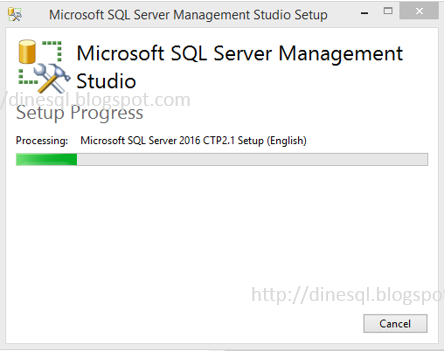
SQL Server Management Studio 2015 June - Preview is available for downloading

Microsoft SQL Server Management Studio 2015 June Preview is available for downloading. This comes as a separate installation, not as a part of standard SQL Server installation. I believe that the whole idea of this is, making Management Studio as a standalone tool for managing all SQL products including Azure databases.

As per MSDN, enhancements made are;
  • New SSMS Installer - SSMS can now be installed with a light weight stand-alone web installer.
  • SSMS Updates - Receive notification within SSMS when new updates are available, and choose to install them at your convenience.
  • Enhanced SSMS support for Azure SQL Database – Several fixes and enhancements, including expanded SQL Server Management Objects (SMO) coverage, and an updated Import/Export wizard.
Here is the page for downloading: https://msdn.microsoft.com/en-us/library/mt238290.aspx


Installation is very simple and lightweight. Just as SQL Server 2016, it is recommended to install this in a separate machine as this is still a Preview. 


Saturday, July 18, 2015

SQL Server: Why we need multiple instances in production environment?

Installing multiple copies of SQL Server on a single machine is not uncommon but it is not recommended in production environment. The copy of SQL Server installation is called as an instance. Multiple instances are installed when we need multiple environments such as development and test, and when we do not have multiple physical machines.

Although it is not recommended to have multi-instance setup in production, there are instances where we install multiple instances in a single server. We install;
  • when we have different types of application that require different versions of SQL Server. If we do not have different servers, two different versions can be installed side-by-side using multiple instances.
  • when we need different security configurations for different application. Assume that one application needs to connect only with Windows Authentication and should not allowed Mixed Authentication, and another application requires both. This can be solved by installing multiple instances.
  • when we need different level of services for databases. There are some instances which need different SLAs (Service Level Agreement) for different databases.
  • when we need different collation set up for databases. Even though it is possible to have different collations for databases in a single instance, tempdb can be configured only with one collation. This leads us to have multiple instances if required.
  • when we need different server level configurations for specific application. We may have an application that needs standard settings but another that needs something like optimize for ad hoc workloads enabled.