Friday, October 18, 2013

In-Memory OLTP: Inserting 3 millions records in 3 seconds

One of the sessions we delivered with SQL Server Sri Lanka User Group Meeting – October 2013 was related to SQL Server 2014: In-Memory OLTP. I am sure that everyone was thrilled seeing, inserting millions of records into SQL Server table within seconds. Initially it amazed me too :), I believe that this is the key for 2014, just like Columnstore in 2012.

Here is the demo code I used with the session.

During the demonstration, I showed two scenarios based on three tables;

  1. Normal disk-based table
  2. In-Memory Durable table
  3. In-Memory non-durable table.

Once scenario is inserting records from another table. Other is inserting another set with a stored procedure. Before going through the code, let’s understand In-Memory OLTP.

In-Memory OLTP is a database engine component which is optimized for accessing memory-resident tables. This was started 4 years ago with codename “Hekaton”. It is mainly for OLTP scenario and it significantly improves the performance of OLTP workloads. Here are some of key points on it;

  • Currently available with SQL Server 2014 - 64bit CTP1, CTP2.
  • Tables can be created in memory as fully Durable or Non-Durable.
  • Content of durable tables will not be lost in case of server crash.
  • Non-durable tables are fully in memory. Content will be lost at server crash (including service restart).
  • Indexes created for in-memory tables are in memory only.
  • T-SQL can be written for accessing both in-memory tables and disk tables.
  • In-memory tables are fully supported for ACID.
  • Stored procedures written for accessing only in-memory tables can be made as natively compiled procedures.

Statistics

Let’s see the code. I have already created a DB called TestDatabase01 and it has a table called dbo.FactSales. This table is from ContosoRetailDW which is available at: http://www.microsoft.com/en-us/download/details.aspx?displaylang=en&id=18279.

First step is enable the database for in-memory tables. It is done by adding a file group specifically for in-memory tables and add a file to it.

ALTER DATABASE [TestDatabase01] ADD FILEGROUP FG_MemoryOptiimizedData 
CONTAINS MEMORY_OPTIMIZED_DATA
GO
 
ALTER DATABASE TestDatabase01 ADD FILE 
    (NAME = 'TestDatabase01_MemoryOptiimizedData'
    , FILENAME = 'C:\Program Files\Microsoft SQL Server\MSSQL11.MSSQLSERVER\MSSQL\DATA\TestDatabase01_MemoryOptiimizedData.ndf') 
TO FILEGROUP FG_MemoryOptiimizedData
GO

Next step is creating tables. This code creates three tables as mentioned above.

-- creating a normal disk table
CREATE TABLE dbo.NewFactSales
    (
        SalesKey int NOT NULL PRIMARY KEY 
        , DateKey datetime NOT NULL
        , channelKey int NOT NULL
        , StoreKey int NOT NULL
        , ProductKey int NOT NULL
        , PromotionKey int NOT NULL
        , CurrencyKey int NOT NULL
        , UnitCost money NOT NULL
        , UnitPrice money NOT NULL
        , SalesQuantity int NOT NULL
        , ReturnQuantity int NOT NULL
        , ReturnAmount money NULL
        , DiscountQuantity int NULL
        , DiscountAmount money NULL
        , TotalCost money NOT NULL
        , SalesAmount money NOT NULL
        , ETLLoadID int NULL
        , LoadDate datetime NULL
        , UpdateDate datetime NULL
    )
GO
 
-- creating an in-memory table.
-- Option DURABILITY = SCHEMA_AND_DATA makes table durable
CREATE TABLE dbo.FactSales_MemoryOptimized_Durable
 
        SalesKey int NOT NULL PRIMARY KEY NONCLUSTERED HASH WITH (BUCKET_COUNT = 3000000)
        , DateKey datetime NOT NULL
        , channelKey int NOT NULL
        , StoreKey int NOT NULL
        , ProductKey int NOT NULL
        , PromotionKey int NOT NULL
        , CurrencyKey int NOT NULL
        , UnitCost money NOT NULL
        , UnitPrice money NOT NULL
        , SalesQuantity int NOT NULL
        , ReturnQuantity int NOT NULL
        , ReturnAmount money NULL
        , DiscountQuantity int NULL
        , DiscountAmount money NULL
        , TotalCost money NOT NULL
        , SalesAmount money NOT NULL
        , ETLLoadID int NULL
        , LoadDate datetime NULL
        , UpdateDate datetime NULL
    )
WITH (MEMORY_OPTIMIZED = ON, DURABILITY = SCHEMA_AND_DATA)
GO
 
-- creating another in-memory table.
-- Option DURABILITY = SCHEMA_ONLY, this is non-durable
CREATE TABLE dbo.FactSales_MemoryOptimized_NonDurable
    (
        SalesKey int NOT NULL PRIMARY KEY NONCLUSTERED HASH WITH (BUCKET_COUNT = 3000000)
        , DateKey datetime NOT NULL
        , channelKey int NOT NULL
        , StoreKey int NOT NULL
        , ProductKey int NOT NULL
        , PromotionKey int NOT NULL
        , CurrencyKey int NOT NULL
        , UnitCost money NOT NULL
        , UnitPrice money NOT NULL
        , SalesQuantity int NOT NULL
        , ReturnQuantity int NOT NULL
        , ReturnAmount money NULL
        , DiscountQuantity int NULL
        , DiscountAmount money NULL
        , TotalCost money NOT NULL
        , SalesAmount money NOT NULL
        , ETLLoadID int NULL
        , LoadDate datetime NULL
        , UpdateDate datetime NULL
    )
WITH (MEMORY_OPTIMIZED = ON, DURABILITY = SCHEMA_ONLY)
GO

Let’s insert records. Insert three statements separately for seeing the difference.

-- Insert into disk table
INSERT INTO dbo.NewFactSales
(
   SalesKey, DateKey, channelKey, StoreKey
   , ProductKey, PromotionKey, CurrencyKey
   , UnitCost, UnitPrice, SalesQuantity, ReturnQuantity
   , ReturnAmount, DiscountQuantity, DiscountAmount
   , TotalCost, SalesAmount, ETLLoadID, LoadDate, UpdateDate
)
SELECT 
   SalesKey, DateKey, channelKey, StoreKey
   , ProductKey, PromotionKey, CurrencyKey
   , UnitCost, UnitPrice, SalesQuantity, ReturnQuantity
   , ReturnAmount, DiscountQuantity, DiscountAmount
   , TotalCost, SalesAmount, ETLLoadID, LoadDate, UpdateDate
FROM dbo.FactSales
 
-- Insert into in-memory durable table
INSERT INTO dbo.FactSales_MemoryOptimized_Durable
(
   SalesKey, DateKey, channelKey, StoreKey
   , ProductKey, PromotionKey, CurrencyKey
   , UnitCost, UnitPrice, SalesQuantity, ReturnQuantity
   , ReturnAmount, DiscountQuantity, DiscountAmount
   , TotalCost, SalesAmount, ETLLoadID, LoadDate, UpdateDate
)
SELECT 
   SalesKey, DateKey, channelKey, StoreKey
   , ProductKey, PromotionKey, CurrencyKey
   , UnitCost, UnitPrice, SalesQuantity, ReturnQuantity
   , ReturnAmount, DiscountQuantity, DiscountAmount
   , TotalCost, SalesAmount, ETLLoadID, LoadDate, UpdateDate
FROM dbo.FactSales
 
-- Insert into in-memory non-durable table
INSERT INTO dbo.FactSales_MemoryOptimized_NonDurable
(
   SalesKey, DateKey, channelKey, StoreKey
   , ProductKey, PromotionKey, CurrencyKey
   , UnitCost, UnitPrice, SalesQuantity, ReturnQuantity
   , ReturnAmount, DiscountQuantity, DiscountAmount
   , TotalCost, SalesAmount, ETLLoadID, LoadDate, UpdateDate
)
SELECT 
   SalesKey, DateKey, channelKey, StoreKey
   , ProductKey, PromotionKey, CurrencyKey
   , UnitCost, UnitPrice, SalesQuantity, ReturnQuantity
   , ReturnAmount, DiscountQuantity, DiscountAmount
   , TotalCost, SalesAmount, ETLLoadID, LoadDate, UpdateDate
FROM dbo.FactSales

My VM is configured with 5.5GB memory. Three INSERT statements took 00:01:46, 00:00:17, and 00:00:09 respectively. As you see clearly, in-memory optimized tables give better performance than disk based tables. Let’s run the same with stored procedures. Below code adds three stored procedures. Note the second and third. Few options have been added to them, making them as natively compiled procedures. In addition to that, isolation level and language options are added too. Currently they are required for these procedures.

Note that current version requires manual statistics updates for in-memory tables.

UPDATE STATISTICS dbo.FactSales_MemoryOptimized_Durable WITH FULLSCAN, NORECOMPUTE
UPDATE STATISTICS dbo.FactSales_MemoryOptimized_NonDurable WITH FULLSCAN, NORECOMPUTE

Now let’s add procedures and run, and see the time each takes.

-- Procedure inserts records to disk table
CREATE PROCEDURE dbo.Insert_FactSales
AS
BEGIN
 
    DECLARE @a int = 4000000
    WHILE (@a < 7000000)
    BEGIN
        INSERT INTO dbo.NewFactSales
            (SalesKey,DateKey,channelKey,StoreKey,ProductKey,PromotionKey,CurrencyKey,UnitCost
            ,UnitPrice,SalesQuantity,ReturnQuantity,ReturnAmount,DiscountQuantity,DiscountAmount
            ,TotalCost,SalesAmount,ETLLoadID,LoadDate,UpdateDate)
        VALUES
            (@a,'2013-01-01',1,1,1,1,1,1
            ,1,1,1,1,1,1
            ,1,1,1,'2013-01-01','2013-01-01')
 
        SET @a = @a + 1
    END
END
GO
 
-- Procedure inserts records to in-memory durable table
CREATE PROCEDURE dbo.Insert_FactSales_MemoryOptimized_Durable
WITH NATIVE_COMPILATION, SCHEMABINDING, EXECUTE AS OWNER
AS
BEGIN ATOMIC
    WITH (TRANSACTION ISOLATION LEVEL = SNAPSHOT, LANGUAGE = N'us_English')
 
    DECLARE @a int = 4000000
    WHILE (@a < 7000000)
    BEGIN
        INSERT INTO dbo.FactSales_MemoryOptimized_Durable
            (SalesKey,DateKey,channelKey,StoreKey,ProductKey,PromotionKey,CurrencyKey,UnitCost
            ,UnitPrice,SalesQuantity,ReturnQuantity,ReturnAmount,DiscountQuantity,DiscountAmount
            ,TotalCost,SalesAmount,ETLLoadID,LoadDate,UpdateDate)
        VALUES
            (@a,'2013-01-01',1,1,1,1,1,1
            ,1,1,1,1,1,1
            ,1,1,1,'2013-01-01','2013-01-01')
 
        SET @a = @a + 1
    END
END
GO
 
-- Procedure inserts records to in-memory non-durable table
CREATE PROCEDURE dbo.Insert_FactSales_MemoryOptimized_NonDurable
WITH NATIVE_COMPILATION, SCHEMABINDING, EXECUTE AS OWNER
AS
BEGIN ATOMIC
    WITH (TRANSACTION ISOLATION LEVEL = SNAPSHOT, LANGUAGE = N'us_English')
 
    DECLARE @a int = 4000000
    WHILE (@a < 7000000)
    BEGIN
        INSERT INTO dbo.FactSales_MemoryOptimized_NonDurable
            (SalesKey,DateKey,channelKey,StoreKey,ProductKey,PromotionKey,CurrencyKey,UnitCost
            ,UnitPrice,SalesQuantity,ReturnQuantity,ReturnAmount,DiscountQuantity,DiscountAmount
            ,TotalCost,SalesAmount,ETLLoadID,LoadDate,UpdateDate)
        VALUES
            (@a,'2013-01-01',1,1,1,1,1,1
            ,1,1,1,1,1,1
            ,1,1,1,'2013-01-01','2013-01-01')
 
        SET @a = @a + 1
    END
END
GO
 
EXEC dbo.Insert_FactSales
EXEC dbo.Insert_FactSales_MemoryOptimized_Durable
EXEC dbo.Insert_FactSales_MemoryOptimized_NonDurable

Again, natively compiled procedures against give better performance than others. Here is the summary;

Insert 3 million records Disk table In-Memory table – Durable In-Memory table - NonDurable
INSERT statement 00:01:46 00:00:17 00:00:09
SP 00:15:19 00:00:19
(Natively Compiled)
00:00:03
(Natively Compiled)

Expect more codes on this with future posts. Code related to this can be downloaded from: http://sdrv.ms/18sAxEa

The presentation used for the session can be downloaded from: http://sdrv.ms/1d2xSoe

SQL 2014 is still being developed. However, for testing purposes, you can download CTP 2 from here: http://technet.microsoft.com/en-us/evalcenter/dn205290.aspx

Here are useful links on this;

Thursday, October 17, 2013

SQL Server 2014 CTP1: Error 41342 - The model of the processor on the system does not support creating filegroups with MEMORY_OPTIMIZED_DATA….

You might have already faced for this, or you will be, if you try to create a file group for your in-memory optimized tables. The reason for this is, in-memory optimized tables require a processor that supports atomic compare and exchange operations on 128-bit values (as per this:http://msdn.microsoft.com/en-us/library/dn232521(v=sql.120).aspx, I do not have much idea on it :)). This requires assembly instruction CMPXCHG16B. Certain models do not support this. Certain virtual environments do not enable this by default.

My virtual environment is VirtualBox. Here is the way of enabling CMPXCHG16B instruction set;

  • Get the list of all VMs configured using VBoxManage.exe list vms
  • Then enable it using VBoxManage.exe setextradata “VM Name” VBoxInternal/CPUM/CMPXCHG16B 1

VirtualBox error

The internal changes on executing this command is unknown. Hence be cautious on this before enabling this in production environments.

Wednesday, October 16, 2013

SQL Server 2014 CTP2 is available for downloading

SQL Server 2014 CTP2 is available for downloading;

http://technet.microsoft.com/en-us/evalcenter/dn205290.aspx

Few important things to remember with this installation;

  • The Microsoft SQL Server 2014 CTP2 release is NOT supported by Microsoft Customer Services and Support (CSS).
  • The Microsoft SQL Server 2014 CTP2 release is available for testing purposes only and should NOT be installed and used in production environments.
    • Side-by-Side installation with down-level production SQL Server instances as well as in-place Upgrades of down-level production SQL Server instances, is NOT supported.
  • Upgrading from Microsoft SQL Server 2014 CTP1 to Microsoft SQL Server 2014 CTP2 is NOT supported.

Sunday, October 6, 2013

SQL Server 2008 R2 Error: Login failed for user ''. Reason: Server is in script upgrade mode. Only administrator can connect at this time. (Microsoft SQL Server, Error: 18401)

I started experiencing above error with my SQL Server 2008 R2 instance when trying to connect and spent about 2 hours for sorting it out. It said that the instance was being upgraded but I was 100% sure that no upgrades were added. I searched for this error and almost all who have experienced the same had accepted that this was due to an upgrade and almost all cases had automatically been resolved within few minutes.

As the next step, error log was checked and found the reason;

2013-10-06 18:30:15.89 spid7s      Error: 5133, Severity: 16, State: 1.
2013-10-06 18:30:15.89 spid7s      Directory lookup for the file "D:\Databases\Relational\2008R2\temp_MS_AgentSigningCertificate_database.mdf" failed with the operating system error 3(The system cannot find the path specified.).
2013-10-06 18:30:15.89 spid7s      Error: 1802, Severity: 16, State: 1.
2013-10-06 18:30:15.89 spid7s      CREATE DATABASE failed. Some file names listed could not be created. Check related errors.
2013-10-06 18:30:15.89 spid7s      Error: 912, Severity: 21, State: 2.
2013-10-06 18:30:15.89 spid7s      Script level upgrade for database 'master' failed because upgrade step 'sqlagent100_msdb_upgrade.sql' encountered error 598, state 1, severity 25. This is a serious error condition which might interfere with regular operation and the database will be taken offline. If the error happened during upgrade of the 'master' database, it will prevent the entire SQL Server instance from starting.

As per the log, server still looks an old path for databases. I had changed the default database path recently but not today. However now it started looking the old path. Reason could be hibernating the machine without shutting down. Now how can I instruct SQL Server not to look for this path?

As per the search I made, there are two locations to be checked;

  1. HKEY_LOCAL_MACHINE\SOFTWARE\Microsoft\Microsoft SQL Server\MSSQL10_50.<<instance name>>\Setup
    • DefaultData string value
    • DefaultLog string value
  2. HKEY_LOCAL_MACHINE\SOFTWARE\Microsoft\Microsoft SQL Server\MSSQL10_50.<<instance name>>\MSSQLServer
    • SQLDataRoot string value

ErrorLog1

ErrorLog2

In my case, path in the first key was wrong. Issue was resolved once the string value is updated with the correct path. You may experience the same and this could be the solution ....

Saturday, October 5, 2013

Indexing with SQL Server – SS SLUG Aug 2013 - Presentation

Indexin with SQL Server

Here is the presentation used for discussing SQL Server indexing. This discusses index structures, storage patters and different implementations addressing all versions, including SQL Server 2014.

http://sdrv.ms/1e1iAOn

This contains 40 slides including links for demo codes. Slides include;

  • SQL Server Table Structures
  • SQL Server Index Structures – Rowstore indexes
  • Managing Rowstore Indexes
  • SQL Server Index Structures – Columnstore indexes

What is Columnstore Index - SS SLUG Aug 2013 – Demo V

If you have worked with large databases (or data warehouses), you have already seen enough of scenarios where you do not get much benefits out of indexes, particularly with large data tables. SQL Server 2012 ColumnStore index structure was specifically introduced for addressing this issue.

This new structure is based on Microsoft Vertipaq technology and it goes as a non-clustered index. The different between this and traditional indexing is the storage. The indexes we have worked so far store data in a row-wise structure where as this stores data in a column-wise structure. Another different which make this unusable with OLTP databases is, structure becomes Read-Only.

 ColumnStore1

How this exactly stores data was discussed in the user group meeting. Here are set of images that explains how SQL Server organizes data for ColumnStore indexes.

ColumnStore2

The first image shows a table that contains millions of records with hundreds of columns. If you execute a command for creating a ColumnStore non-clustered index, the first step of SQL Server is grouping records (image 2). Then it creates segments for each column in each group. Third image shows how 16 segments are created. SQL Server uses Dictionary Compression for compressing these segments. These segments will be stored in LOBs and become unit of transfer between the disk and the memory.

Let’s see how it can be used and the performance benefit. This sample code uses ContosoRetailDW and it can be downloaded at: http://www.microsoft.com/en-us/download/details.aspx?displaylang=en&id=18279.

Have a look on following query. The query accesses three tables (one is very large) and performs set of aggregations.

USE [ContosoRetailDW]
GO
 
SET STATISTICS IO ON
SET STATISTICS TIME ON
 
SELECT 
    p.ProductName
    , d.CalendarYear
    , d. CalendarMonth
    , COUNT(*) TotalOrders
    , SUM(f.SalesQuantity) Quantity
    , SUM(SalesAmount) Amount
    , SUM(CASE WHEN f.DateKey = '2009-12-31 00:00:00.000' THEN SalesAmount ELSE 0 END) AmountToday
FROM dbo.FactSales f
    INNER JOIN dbo.DimDate d
        ON d.Datekey = f.DateKey
    INNER JOIN dbo.DimProduct p
        ON p.ProductKey = f.ProductKey
GROUP BY
    p.ProductName
    , d.CalendarYear
    , d. CalendarMonth
ORDER BY 1, 2, 3
 
SET STATISTICS IO OFF
SET STATISTICS TIME OFF

It has read around 19,000 pages and has taken 40 seconds.

Statistics

Now, let’s create a ColumnStore index on the table. The recommended way is, include all columns when creating the index.

CREATE COLUMNSTORE INDEX IX_FactSales_CStore ON dbo.FactSales (
        SalesKey, DateKey, channelKey, StoreKey, ProductKey, PromotionKey, CurrencyKey
        , UnitCost, UnitPrice, SalesQuantity, ReturnQuantity, ReturnAmount, DiscountQuantity
        , DiscountAmount, TotalCost, SalesAmount,ETLLoadID, LoadDate, UpdateDate)

This might takes minutes based on the number of records in the table. Once it is created, run the SELECT again and see the result.

Statistics2

As you see, number of pages that have been read is around 8,000 and time taken is 2 seconds. It is a significant improvement. However the biggest issue with this is, now table has become a read-only table. However this can be applied in partition level and partitions that contain history data can be benefited from this.

This link: http://technet.microsoft.com/en-us/library/gg492088.aspx gives all info regarding ColumnStore indexes. Have a look on it for understanding restrictions, limitations and scenarios you can use it.

Wednesday, October 2, 2013

Analysis Services - Backup and restore errors: File '.abf' specified in Restore command is damaged or is not an AS backup file. The following system error occurred: Access is denied. (Microsoft SQL Server 2008 R2 Analysis Services)

If you experience this error when an SQL Server Analysis Services backup is restored, most probably the reason is Analysis Services – Service account has no permission on the file (or folder). Simply grant permission for the account by accessing its properties – Security tab.

Analysis Services

Sunday, September 29, 2013

Understanding Indexed Views - SS SLUG Aug 2013 – Demo IV

Here is another post on a demo did at Aug meet-up. This post speaks about Indexed Views.

As the name says, views can be made as Indexed Views by adding indexes on them. If you are not familiar with this concept, a general question comes up; Views are not physical objects, SQL Server holds the definitions of them only, then how indexes are maintained with views? Here is the answer if you have the same questions; Once a clustered index is added to a view, it becomes a physical object, it becomes something similar to a table, it becomes an Indexed View.

What is the point of adding an index to a view? Can we improve the performance of a normal view that contains simple, single-table query? No, we cannot. This is not for such queries. This is typically for views that are formed with multiple tables and contains aggregations. Assume that you have a view that joins 2-3 tables with millions of records and then performs set of aggregations. Aggregations reduce number of records returned but it still needs to read all records, increasing IO operations. If all three tables are maintained with 30,000 pages, whenever the view is accessed, all 30,000 pages have to be read and then aggregations should be done. Making this view as an Indexed view, number of pages to be read is eliminated and aggregation is not required to be performed. This definitely improves the performance.

Here is the demo code shown with the presentation on it.

USE AdventureWorks
GO
 
-- create a view from Sales header and details
CREATE VIEW dbo.GetSales
AS
SELECT h.SalesOrderID, h.CustomerID, SUM(d.LineTotal) LineTotal  
FROM Sales.SalesOrderHeader h
    INNER JOIN Sales.SalesOrderDetail d
        ON h.SalesOrderID = d.SalesOrderID
GROUP BY h.SalesOrderID, h.CustomerID
GO
 
-- View data from GetSales view
-- Note the number pages reading during data retrieval
SET STATISTICS IO ON
 
SELECT * FROM dbo.GetSales
 
SET STATISTICS IO OFF

Look at the output and the plan;

image

image

Now let’s make the view as an Indexed view. There are many rules to be followed, key rules are listed below;

  1. All columns in the view must be deterministic.

  2. The SCHEMA_BINDING view option must be should when creating.

  3. The clustered index must be created as unique.

  4. Tables references in the view must be two-part naming.

  5. The COUNT_BIG() function must be included if aggregation is used.

  6. Some aggregations, such as AVG, MAX, MIN are disallowed in indexed views.

-- Making the view as INDEXED VIEW
ALTER VIEW dbo.GetSales
WITH SCHEMABINDING
AS
SELECT h.SalesOrderID
    , h.CustomerID
    , SUM(d.LineTotal) LineTotal
    , COUNT_BIG(*) CountBig -- this is required
FROM Sales.SalesOrderHeader h
    INNER JOIN Sales.SalesOrderDetail d
        ON h.SalesOrderID = d.SalesOrderID
GROUP BY h.SalesOrderID, h.CustomerID
GO
 
-- This makes the view as INDEXED VIEW
CREATE UNIQUE CLUSTERED INDEX IX_GetSales ON dbo.GetSales (SalesOrderID, CustomerID)
GO
 
-- Get data from view and see, note the number of data pages read
-- This shows that view is now physically available and data is loaded from it
SET STATISTICS IO ON
 
SELECT SalesOrderID, CustomerID, LineTotal FROM dbo.GetSales 
 
SET STATISTICS IO OFF

Note the pages accessed and the plan;

image

image

As you see, performance is significantly improved. However there is something needs to be considered when creating Indexed Views. That is the cost for maintaining it. Every changes make to underline tables require an update on the view. It is transparent but a cost is involved. Therefore implement this for tables that are not frequently updated.

Note that if you are using Standard Edition, you need to use NOEXPAND hint with SELECT statement like below. Otherwise SQL Server will not use the added index.

SELECT SalesOrderID, CustomerID, LineTotal FROM dbo.GetSales WITH (NOEXPAND )

Tuesday, August 27, 2013

Understanding Index INCLUDED COLUMNS - SS SLUG Aug 2013 – Demo III

Indexes are added mostly based on WHERE conditions used with queries execute frequently. Once the index is added, it speeds up the search on conditions added but does not improve the speed of loading values related to non-indexed columns. Adding non-indexed columns to the index and making all queries as part of the index is considered as Covering Index Pattern. However this post is not about Covering Index Pattern but something similar to it, called as Included Columns Pattern.

This was discussed in August user group meeting. This code is related to one of demos.

For testing purposes, I have used one of Microsoft sample databases which has millions of records. It is called ContosoRetailDW and it can be downloaded at: http://www.microsoft.com/en-us/download/details.aspx?displaylang=en&id=18279

Let’s create a new table using one of existing tables and add a clustered index on it.

USE ContosoRetailDW
GO
 
SELECT *
INTO dbo.FactSalesNew
FROM  dbo.FactSales
 
CREATE UNIQUE CLUSTERED INDEX IX_FactSalesNew ON dbo.FactSalesNew (SalesKey)
GO

Enable “Actual Execution Plan” and run the query below.

SET STATISTICS IO ON
 
SELECT SalesKey, SalesAmount, ReturnAmount, DiscountAmount
FROM dbo.FactSalesNew f
    INNER JOIN dbo.DimDate d
        ON d.Datekey = f.DateKey
            AND CalendarYear = 2007
WHERE ReturnAmount BETWEEN 1000 AND 1500
 
SET STATISTICS IO OFF

Have a look on pages read for loading the resultset into memory and have a look on execution plan.

image

image

This table has 3 million records and they are held using 52491 pages. As you see with the first result, SQL Server reads all pages for searching records (Clustered Index Scan) and returns only 2061 records. Let’s try to decrease the number of pages to be read by adding an index on ReturnAmount column.

CREATE INDEX IX_FactSalesNew_ReturnAmount ON dbo.FactSalesNew (ReturnAmount)

Once added, run the same query and see the result.

image

image

SQL Server uses the index added and number of pages read is 19930 now. It has improved the overall operation. However, can we improve little bit more? Yes, it is possible with included columns. You notice with the plan that even though there is an index, SQL Server still reads the clustered index because all other columns except RetuenAmount are not exist with the index. What if we include other columns into same index? See the below query.

DROP INDEX IX_FactSalesNew_ReturnAmount ON dbo.FactSalesNew 
GO
 
CREATE INDEX IX_FactSalesNew_ReturnAmount ON dbo.FactSalesNew (ReturnAmount)
    INCLUDE (DateKey, SalesAmount, DiscountAmount)

As you see, other columns used in the query are added to index now using INCLUDE clause. Remember, they have not been added as key columns, hence they cannot be used for searching. If a query is executed with “WHERE SalesAmount BETWEEN 1000 AND 1500”, SQL Server cannot use the index for searching. This is the key difference between Covering Index Pattern and Included Columns Patter. See the result of the SELECT query now.

image

image

Less number of pages to be read and no need to go through the clustered index. In this case, improvement is very high, however everything has pros and cons. Since additional columns are maintained in the index, remember that cost is involved with this when updating records.

Sunday, August 25, 2013

Using GUID column as Clustered Index Key– SS SLUG Aug 2013 – Demo II

GUIDs are commonly used in distributed applications which require “uniqueness” across the entire world. Unfortunately I have seen the usage of GUIDs with clustered keys in non-distributed applications, where global uniqueness is not required. This was discussed in my presentation and showed how useful the GUIDs as clustered key as well as how it makes the index fragmented. This post is for the demo code related to the discussion.

Before going through the code, we must understand that GUIDs are not as bad as we think if it is managed well. You can make an uniqueidentifier column as PRIMARY KEY, as clustered key. Although it does not as efficient as int data type, it gives moderate efficiency. Let’s look at how this makes the clustered index fragmented and how it can be avoided.

USE tempdb
GO
 
-- create a table with uniqueidentifier
-- and make it as the clustered key
IF OBJECT_ID('dbo.GUID_Table') IS NOT NULL
    DROP TABLE dbo.GUID_Table
GO
CREATE TABLE dbo.GUID_Table 
(
    Id uniqueidentifier PRIMARY KEY
    , name char(2000)
)
GO
 
-- insert 100 records with default values
INSERT INTO dbo.GUID_Table
VALUES
    (NEWID(), 'a')
GO 100
 
 
SELECT * FROM sys.dm_db_index_physical_stats (
    DB_ID(), OBJECT_ID('dbo.GUID_Table'), NULL, NULL, 'DETAILED')

Once the last statement is run, you will see how fragmented your table is. For more info on fragmentation, please refer: http://dinesql.blogspot.com/2013/08/understanding-index-fragmentation-ss.html.

image

Both external fragmentation (97%) and internal fragmentation (54%) are very high. The reason is, page splits  and records movement during insertions. Since GUIDs are not sequentially generated, record placement in pages is always an issue for SQL Server. What happen is, when a GUID is to be inserted as the key (entire record in this case), it looks for the page which record needs to be placed, and if no space in the page, it splits the page, moving 50% of records in the page to a new page, breaking the order of the pages which are ordered based on keys. Run the code below for seeing the linkage between pages.

DBCC IND (tempdb, [GUID_Table], -1)

image

As you see, SQL Server has to do many “read-back” for reading data sequentially, making all queries slowing down. The only way to avoid this with GUIDs is, use NEWSEQUENTIALID instead of NEWID. It generates GUIDs that are sequential to the last generated GUID. If Insertion is made using NEWSEQUENTIALID, external fragmentation will be lesser because of its sequential order on generation. Re-create the table and run the INSERT statement as below;

-- create table again
DROP TABLE dbo.GUID_Table 
GO
CREATE TABLE dbo.GUID_Table 
(
    Id uniqueidentifier PRIMARY KEY DEFAULT (NEWSEQUENTIALID())
    , name char(2000)
)
 
INSERT INTO dbo.GUID_Table
VALUES
    (DEFAULT, 'a')
GO 100
 
SELECT * FROM sys.dm_db_index_physical_stats (
    DB_ID('tempdb'), OBJECT_ID('GUID_Table'), NULL, NULL, 'DETAILED')
 
DBCC IND (tempdb, [GUID_Table], -1)

If you analyze PagePID and NextPagePID in DBCC IND result-set now, you will see how pages are ordered and no “read-backward” is needed. And the SELECT statement proves that no fragmentation has happened too. This clearly shows that with NEWSEQUENTIALID, split is not required as the value generated is always greater than the value exist. There are two key things not remember on it;

  • NEWSEQUENTIALID always generates a higher value greater than the one generated before by same server.
  • The uniqueness is limited to the server used only. Duplication can happen if values are generated with two servers.

Saturday, August 24, 2013

Understanding Index Fragmentation – SS SLUG Aug 2013 – Demo I

Index fragmentation is something we need to monitor frequently specifically on databases that are heavily indexed. If indexes added are fragmented, you will not get the expected performance from indexes. This is one of the areas discussed with last user group meeting, here is the sample codes that shows how indexes are getting fragmented.

Run below code to create a sample table with values.

USE tempdb
GO
 
-- creating test table
IF OBJECT_ID(N'dbo.TestTable', 'U') IS NOT NULL
BEGIN
DROP TABLE dbo.TestTable
END
GO
CREATE TABLE TestTable (Id int IDENTITY(1,1) PRIMARY KEY, [Value] varchar(900))
GO
 
-- Inserting sample values
DECLARE @a int, @b int
SET @a = 65
WHILE (@a < 91)
BEGIN
 
    SET @b = 0
    WHILE (@b < 20)
    BEGIN
 
        INSERT INTO TestTable ([Value])
        SELECT REPLICATE(CHAR(@a), 445) + CONVERT(VARCHAR(10), @b)
        SET @b = @b + 1
    END
    SET @a = @a + 2
END
GO
 
-- See the values inserted, [Value] column contains
-- values like AAAA..., CCCC..., EEEE..., etc
SELECT * FROM dbo.TestTable ORDER BY Id
 
-- making an index on [Value] column
CREATE INDEX IX_TestTable ON dbo.TestTable([Value])
GO
 
-- checking for internal fragmentation
SELECT * FROM sys.dm_db_index_physical_stats (DB_ID(), OBJECT_ID(N'dbo.TestTable', N'U'), 2, NULL, 'DETAILED')

The last statement which is DMF used to check the fragementation of indexes. Two columns used for checking the fragmentation, avg_fragmentation_in_percent for External fragmentation and avg_page_space_used_in_percent for Internal fragmentation.

Here are few points discussed regarding fragmentation;

  • Internal fragmentation
    Inefficient use of pages within an index because the amount of data stored within each page is less than the data page can contain.
    • <= 30% reorganize index
    • > 30% rebuild index
  • External fragmentation (Logical and Extent)
    Inefficient use of pages within an index because the logical order of the page is wrong.
    • <= 75% and >= 60% reorganize index
    • < 60% rebuild index

image

As per result, we do not need to worry much on fragmentation. SQL Server uses 16 pages for holding 260 records (averagely 16 records per page). For testing purposes, let’s fragment the index . Here is the code;

-- reducing the zize of the index key for some records
UPDATE dbo.TestTable
SET [Value] = LEFT([Value], 1)
WHERE Id % 2 = 0
 
-- checking for internal fragmentation
SELECT * FROM sys.dm_db_index_physical_stats (DB_ID(), OBJECT_ID(N'dbo.TestTable', N'U'), 2, NULL, 'DETAILED')

And the result is;

image

As you see, since we removed some characters from Value column, pages have space now, only 47% of space has been used. You really do not need 16 pages for holding 260 records now but SQL Server still holds records in 260 pages which is not efficient, making more IO and using more memory for your queries, decreasing the performance of them. Rebuilding the index sorts this out;

-- removing the fragmentation
ALTER INDEX IX_TestTable ON dbo.TestTable REBUILD

What you have to remember is, update like above makes your indexes fragmented, hence try to avoid such updates, if performed, make sure you check for fragmentation and defragment if required.

Let’s start from the beginning for understanding External fragmentation. It is all about breaking the order of the records. Run the below code for understanding the current order. Make sure you run the first code segment above (table creation and inserting)again  before running this.

-- checking for external fragmentation
SELECT * FROM sys.dm_db_index_physical_stats (DB_ID(), OBJECT_ID(N'dbo.TestTable', N'U'),2, NULL, 'DETAILED')
 
-- run this undocumented command to see the NextPageID 
DBCC IND (tempdb, 'TestTable', 2)

Here are the results;

image

image

Look at the first result, it says that External fragmentation of the clustered index is 18.5% which is okay. Next result is from DBCC IND command (For more info on DBCC IND, refer: http://dinesql.blogspot.com/2013/08/dbcc-ind.html) shows how pages are linked. Focus on PagePID and NextPagePID columns, and PageType column. Page type 2 represents index pages. Index level 0 represents leaf pages. This says that next page of 312is 314 and next page of 314 is 316, which is a perfect order.

Let’s make the table externally fragmented. Run the code below;

-- inserting new values such as
-- Bs, Ds, Fs, etc....
-- Making page-splits
DECLARE @a INT
SET @a = 66
WHILE (@a < 86)
BEGIN
 
    INSERT INTO TestTable ([Value])
    SELECT REPLICATE(CHAR(@a), 445) + CONVERT(VARCHAR(10), @a)
    SET @a = @a + 2
END
GO

When records are inserted in between existing values (B has to be inserted between A and C), SQL Server needs to check and see the space availability of the correct page. If no space available, page-split occurs and 50% of the records are moved to a new page. This breaks the order of pages. Run the sys.dm_db_index_physical_stats and DBCC IND again and see;

image

image

We can clearly see what has happened to the order of pages, it is broken, it is fragmented. When you query data from this table (for example: data from pages 312, 341, 50699, 316), it has to read forward (which is fine) and read back (which is very costly) making more IOs and slowing down the generation of the resultset. If you rebuild the index, this can be fixed, however what you have to remember is, not to make your indexes externally fragmented from your actions, making query performance very poor. Here are some points you need to consider when dealing with index keys. These reduce external fragmentation.

  • Select a non-volatile columns for the keys.
  • Make sure column values are increasing values.

Presentation related to this demo is available at: SQL Server Universe.

DBCC IND

DBCC IND command is one of the important commands used when indexes are analyzed. Specifically this can be used for seeing the linkage between pages associated with a given table. It requires three parameters;

DBCC IND ( {‘db_name’ | ‘db_id’}, {‘table_name’ | ‘table_id’}, {‘index_name’ | ‘index_id’ | –1}

  • db_name | ‘db_id – requires database name or id. If 0 or ‘’ passed, current database will be used.
  • table_name | table_id – requires table name or object id of the table.
  • index_name | index_id | –1 – requires index id of the table. If –1 is used, result is generated for all the indexes.

Here is brief on output of IND command.

PageFID File number where the page is located
PagePID Page number for the page
IAMFID File ID where the IAM page is located
IAMPID Page ID for the page in the data file
ObjectID Object ID for the associated table
IndexID Index ID associated with the heap or index
PartitionNumber Partition number for the heap or index
PartitionID Partition ID for the heap or index
iam_chain_type

he type of IAM chain the extent is used for. Values can be in-row data, LOB data, and
overflow data.

PageType Number identifying the page type;

1 - Data page
2 - Index page
3 - Large object page
4 - Large object page
8 - Global Allocation Map page
9 - Share Global Allocation Map page
10 - Index Allocation Map page
11 - Page Free Space page
13 - Boot page
15 - File header page
16 - Differential Changed Map page
17 - Bulk Changed Map page

IndexLevel

Level at which the page exists in the page organizational structure. The levels are
organized from 0 to N, where 0 is the lowest level of the index and N is the index root

NextPageFID File number where the next page at the index level is located
NextPagePID Page number for the next page at the index level
PrevPageFID File number where the previous page at the index level is located
PrevPagePID Page number for the previous page at the index level

Here is an example for running the command;

DBCC IND (tempdb, 'TestTable', 2)

Sunday, June 30, 2013

SQL Server 2012 Posters

These posters have been published few months back, if you have not downloaded them yet, here are the links;

Microsoft SQL Server 2012 System Views Map
http://www.microsoft.com/en-us/download/details.aspx?id=39083

The Microsoft SQL Server 2012 System Views Map shows the key system views included in SQL Server 2012, and the relationships between them.
   
Windows Microsoft Business Intelligence at a Glance Poster
http://www.microsoft.com/en-us/download/details.aspx?id=35586

Provides an overview of Microsoft's Business Intelligence technologies in Office, SQL Server, and BI services in Windows Azure.
   

Tuesday, June 25, 2013

SQL Server 2014 CTP1 available for downloading

SQL-Server-2014-CTP1-300x197

It is too early, but this is how Microsoft SQL Server team works, yes SQL 2014, CTP1 is available for downloading Smile.

Here is the path:http://technet.microsoft.com/en-US/evalcenter/dn205290.aspx.

Few things you should know before installing;

  • Two versions available: General SQL Server and Cloud-based
  • This does not support upgrade or side-by-side installation. Install this in new, clean machine.
  • This is only available in 64-bit architecture.
  • Three types of downloads: ISO DVD image, CAB file or Azure version.

Key features;

  • “Hekaton” in-memory capabilities that gives significant performance on database applications.
  • xVelocity ColumnStore provides in-memory capabilities for data warehousing workloads that result in dramatic improvement for query performance.
  • Seamless and transparent SSD support to SQL Server buffer pool.
  • Enhance high availability

Product guide is available at: http://www.microsoft.com/en-us/download/details.aspx?id=39269

Sunday, June 16, 2013

Have you ever lost in Business Intelligence?

Everybody says that they all have business intelligence applications. Everybody says that they develop business intelligence applications, including me Smile. But all BI applications are truly giving BI? What it provides? An indicator formed with a traffic light? A speedometer showing performance or actual of a KPI?
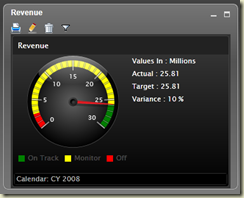
image

I have been designing and developing many modules related to business intelligence for years. Yes, we tried our best to convert data into information spending considerable, costly time with cleansing, validating, structuring formed/unformed data. I assumed that I had truly implemented BI. Although the success was seen with many cases, sometimes it ended up with just a centralized repository. A stranded repository, a stranded treasure. That is where I felt that I have lost in BI.

There can be many reasons for such unsatisfactory finale. I looked back, figured out few. They looked very simple but they have been ignored partially, sometime fully but not purposely. You may do it too, you may not, however, let me share them, you may consider them as precautional steps.

Neglect the champion (not purposely)
This is the most common mistake we always make. Being an IT guy with experience, I still think that I am not qualified enough for structuring the data warehouse in terms of business types or the domain. I am not talking about setting up ragged hierarchies, setting up slowly-changing dimensions or partitioning OLAP DW for real-time BI. This is all about structuring information for the domain, for the business, using their own business language. That you in deed need a business user, a champion. Once I faced for this;

“Dinesh, I see a discrepancy in financial figures, have you taken “control accounts” into consideration when calculating revised budgets for projects?”

That was something I was unaware. He started seeing inaccurate info in my BI solution and he lost the interest in my BI solution. This simply explains that no matter how hard you struggle to implement the solution, if business users see it as useless for them, you fail. The lesson I learnt from this was, never implement a BI solution without a champion.

Visualization is the key

image

Here are two quotes from two different business users;

I like these graphical representations, I love this slicing-dicing feature that truly shows the insights

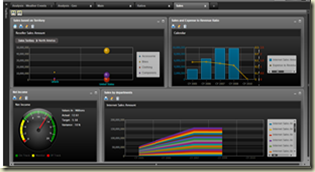
This dashboard makes me confused, too many gadgets, can I see the revenue of my companies in a simple manner?”

Many get attracted by interactive widgets but some do not. This is what we need to understand, this is what I realized. When you make a solution, make sure that right visualization is available regardless of the level of the business user because we cannot insist or force them to use what we have implemented without a proper business case. One could be looking for a simple scorecard that shows green-amber-red traffic lights, another could be looking for a trend-chart combined with what-if analysis. Requirements could be different from company to company, user to user but having a fully-fledge solution will allow you to win the heart of any sort of audience. Therefore, do not just design the data warehouse without thinking the visualization of the output and profiles of consumers.

Analysis cannot be performed 
This is what I have witnessed with most BI solutions, they provide standard way of reporting, either production or analytical, or some dashboards. It can be a set of reports that have static columns with collapse and expand feature. It can be a dashboard with pre-defined, in other word, static graphical widgets. What if user says that I cannot perform what I have been doing, here is an example, I was questioned;

“Why can’t I add sales and distributor vehicle unavailability in to same chart and do a comparison? I have been doing it manually with Excel.”

The information on vehicle unavailability was not programmatically maintained, it was a manual, irregular recording which was performed on demand. But he has been doing it with his own Excel sheet. Yes, we can argue that information is not electronically available, hence it cannot be fulfilled with current BI solution but what if I simply allow him to upload his manual work and combine them with facts in DW supporting his analysis? If I had known all sort of analysis performed by business users, I would have made sure that everything was covered, at leaset with workarounds.

Though there are more, I think these three are the keys for failing BI solutions, making DW/BI solutions handicapped. If your solution is being built, make sure they have been considered.

Sunday, September 16, 2012

Bookmark: Working with lengthy codes

Have you ever thought to use bookmarks in Management Studio when working with lengthy codes? If yes, you are smart, but what I have seen is, very low usage of it.

Bookmark allows you to tag code segments with marks and move into them when you want. It can be done with few keystrokes, here is the way of doing it;

  1. Make sure cursor is placed where you want bookmarked.
  2. Press CTRL+k, CTRL+K
  3. You will see the bookmark as below;
    Bookmark
  4. Follow the second step for bookmarking wherever required.
  5. Done!
  6. Use CTRL+K, CTRL+N for jumping to the next bookmark.
  7. Use CTRL+K, CTRL+P for jumping to the previous bookmark.
  8. Use CTRL+k, CTRL+K  for removing bookmarks.
  9. Use CTRL+k, CTRL+L for clearing all bookmarks.

Have fun!

Thursday, August 30, 2012

SQL Server 2012 Cumulative Update #3 is available

The cumulative update #3 for SQL Server 2012 is available for downloading now at: http://support.microsoft.com/kb/2723749. Make sure you apply this to test environment first and check before applying to live environment.